See what's worth buying before you spend.
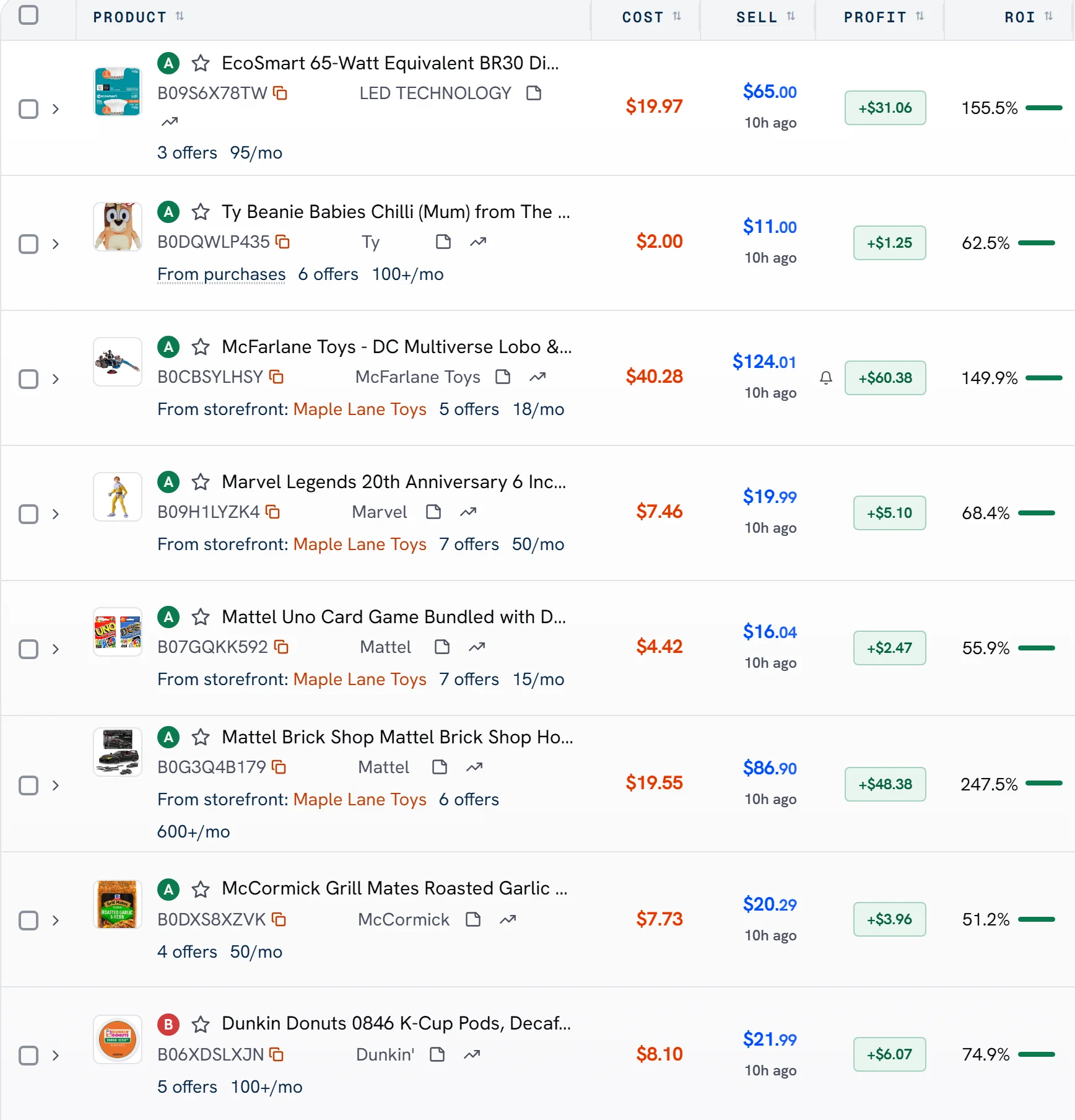
Every product you scout gets a grade from S to F, with the reasons beside it.
What each grade means
S
Top pick
A
Great buy
B
Good buy
C
Okay
D
Weak
F
Skip
How it works.
Save or scout products
Add products to your Vault, or watch storefronts in Scout.
Get a grade
Each one gets a grade from S to F, and the reasons why.
Buy the best first
Look at the top grades first.
AlphaChaser is on every plan, and in your 14-day trial. On Amazon, our Chrome extension grades the product you're looking at, in the US and Canada.
A second opinion, not a promise.
Grades update on their own as prices and sales change. A grade is a second opinion, not a promise. You always make the call.
Common questions
What do the grades mean?
S is a top pick and F means skip it. A, B, C and D fall in between, and each grade lists its reasons.
What does AlphaChaser look at?
How a small buy would have sold over the last 60 days, after Amazon's fees and your cost.
Is a grade a promise?
No. A grade is a second opinion, not a promise. You always make the call.
Where do I see grades?
In your Vault, in Scout, and on Amazon's product pages with our Chrome extension, in the US and Canada.
Read nextCheck if you can sell a product before you buy itSee pricing