See when each buy pays you back.
See what you put into each product, what came back, and the unit where it paid for itself.
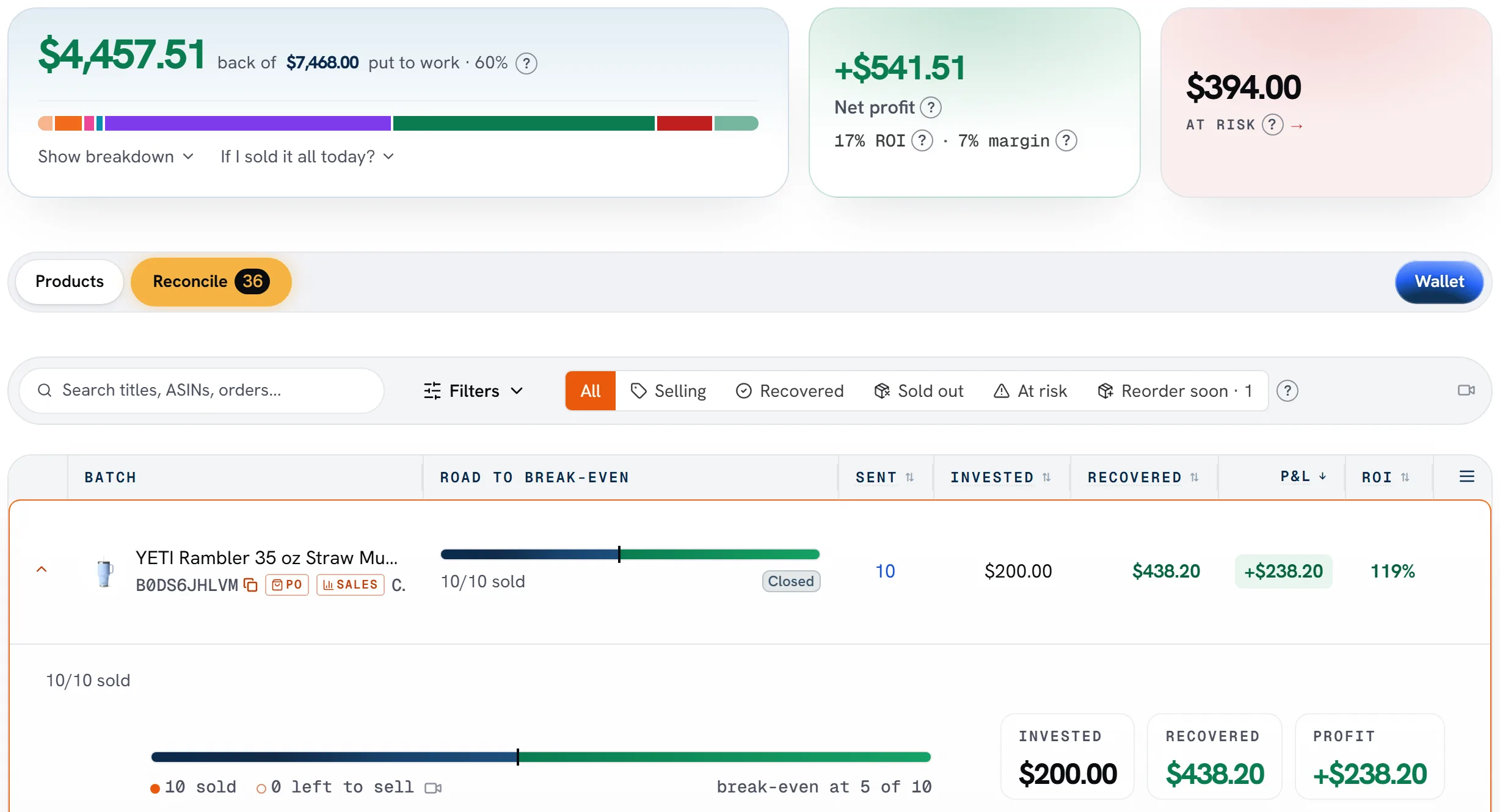
What you see for each product
Money in, money back
What you put into each product, and what came back after Amazon's fees.
Your break-even unit
The unit where a buy paid for itself, so you know which ones did.
What's left to go
Still short? See how many more sales get your money back.
A worked example
Buy 10 at $12 each, and each sale brings back $20 after fees. Sale 6 pays you back, and the last 4 are profit.
How it works.
Connect your Amazon account
Sign in with Amazon, and your sales come in on their own.
Add what you paid
Record your purchases, or bring in your buy sheets.
Watch it come back
Every product shows what came back, and when it broke even.
Capital Recovery is on Pro, and in every 14-day trial, for US, Canada and UK stores.
The demo store's numbers
$4,457.51
back of $7,468.00 put to work
+$541.51
net profit, all time
17%
ROI, all time
Figures from SourceDock's demo store, as the picture above shows them.
Common questions
What does break-even mean here?
It's the point where what came back from Amazon, after its fees, covers what you paid for a product. SourceDock shows the unit where each buy got there.
What counts as money that came back?
Your sales after Amazon's fees and refunds, plus what Amazon paid you for lost or damaged units.
Do I have to enter what I paid?
Yes. Record your purchases, or bring in your buy sheets, and SourceDock matches them to your sales.
Read nextCapital Recovery shows what came back from every buySee pricing