Run your arbitrage from the first find to the last sale.
Find products worth buying, check you can sell them, and see how every buy does.
Find what's worth buying
Watch storefronts
Follow the sellers you like and see what they just added, in Scout.
One buy list
Save your finds in the Vault with their cost and profit, best deals first.
Can you sell it?
Approved, needs approval or blocked, checked with your own Amazon account.
Scan in the store
Scan a barcode with our phone app and see the profit before you buy.
Each step of a buy
How it works.
Connect your Amazon account
Sign in with Amazon, and your sales come in on their own.
Find and check
Watch storefronts, save finds to the Vault, and check you can sell them.
Record what you buy
Then see how each buy sells.
Most tools stop at the buy. SourceDock follows each one until it pays you back. The extension, Gate Scanner and Purchases are on every plan. Sales and Capital Recovery are on Pro, and in every 14-day trial.
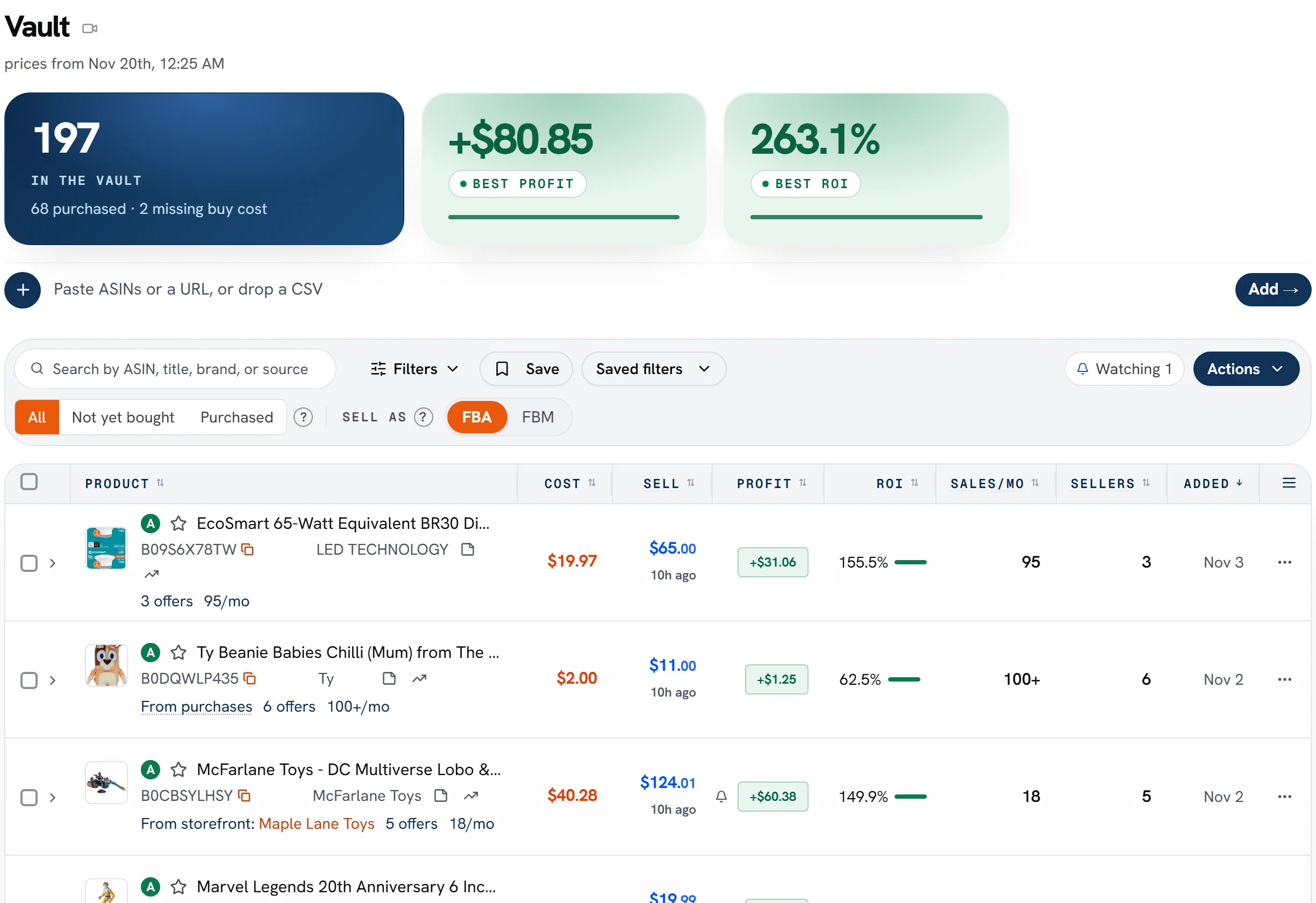
The demo store's Vault
197
products in the Vault
+$80.85
best profit
263.1%
best ROI
Figures from SourceDock's demo store, as the picture above shows them.
Common questions
Does it work for retail arbitrage too?
Yes. Scan a barcode in the store with our phone app and see your profit before you buy.
What happens after I buy?
Record the purchase, and SourceDock follows it to Amazon and through each sale, until it pays you back.
Do I need the Chrome extension?
It checks products on Amazon's pages. Everything after the buy works without it.
Read nextUse one buy list in the VaultSee pricing